
Lazada Order Stuck In Pending / Ready To Ship / Shipped Status
IMPORTANT
Before you continue, have you done the following:- Have you top up credit in Kumoten and check out the pending cart? ( see how to do it here )
- Have you updated the tracking number to Lazada order? ( see how to do it here )
- Have you updated the tracking number within the time stated?
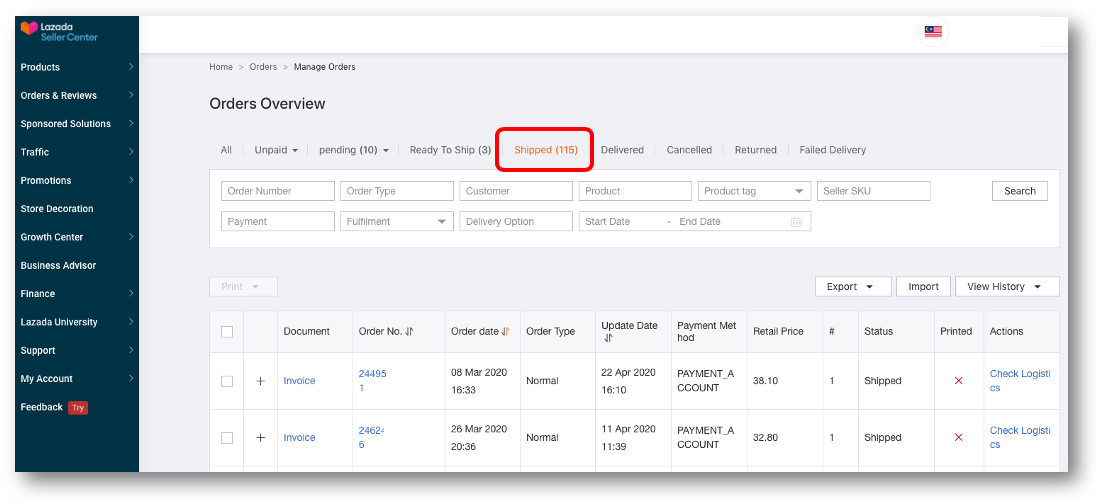
If you have done the above, you Lazada order status should be in Shipped like the example below. It will only be in Ready To Ship status for a few minutes and should automatically move to Shipped.
Scenario 1 : Lazada Order Status stuck in Pending
Have you updated tracking number to Lazada ( this process also known as "Update RTS" ) ?
Scenario 2 : Lazada Order Status stuck in Ready To Ship due to multiple items.
This could happen to orders with multiple items.
After you have updated tracking number or have Auto RTS, one of the item status moved to Shipped while another item status stuck in Ready-To-Ship.
Fill up this Lazada form to update the status.
How to fill up the form
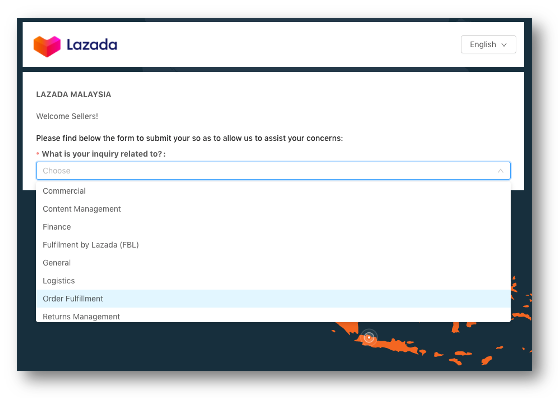
1. Select "Order Fulfilment"
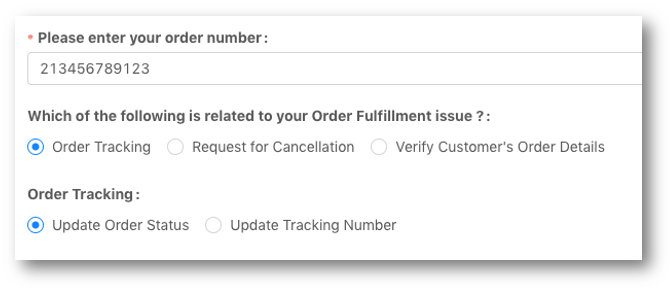
Select Order Tracking and Update Order Status
Select Skynet
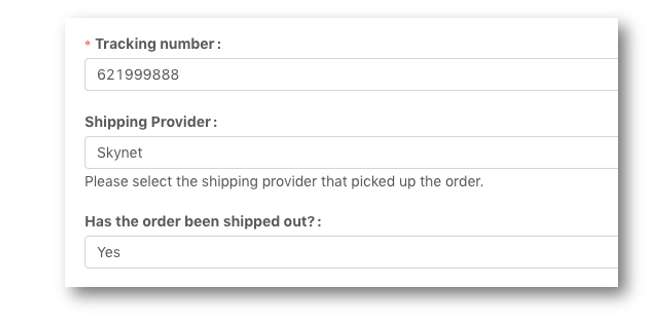
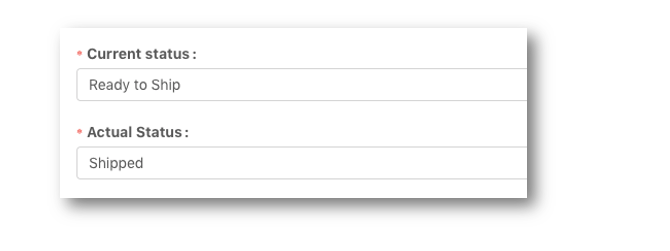
Select the order current status
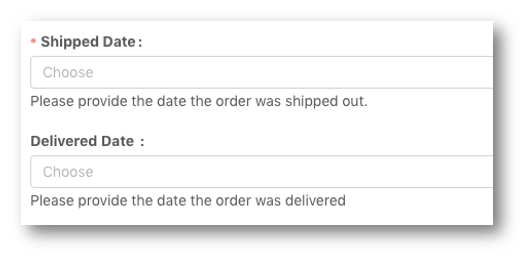
Shipped Date is the date which item has been shipped out ( enter one day after order date ).
Leave Delivered Date blank.
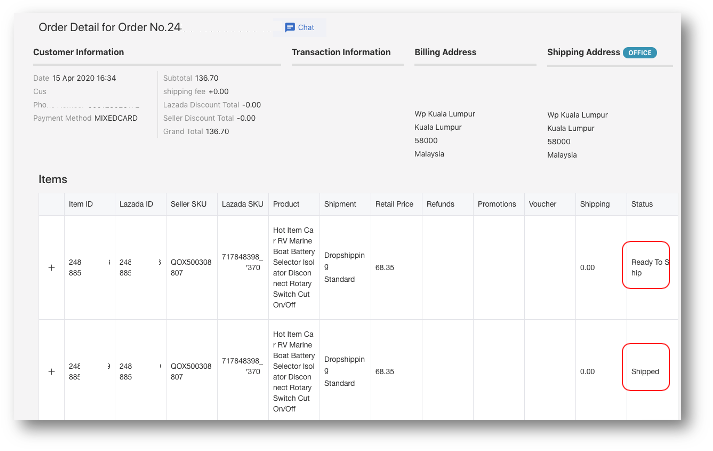
Upload screenshots of Lazada order page
Example of screen shot of the Lazada order page that shows items are in different fulfilment status.
In the comment box, explain the problem.
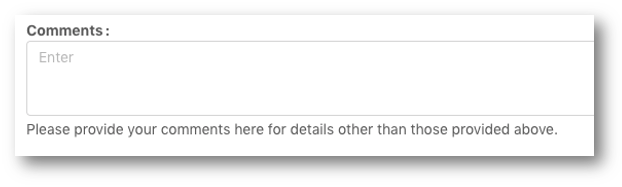
Example comment " This order has 2 items in it. After updating RTS, normally the order status will move from Pending to Shipped. But in this case only one item was moved to Shipped status. The other item status is stuck at Ready To Ship. Please update to Shipped status. Thank you."
Scenario 3 : Lazada Order Status stuck in Ready To Ship due to late updating tracking number.
This could happen if you did not update tracking number within the time stated by Lazada which caused Lazada to auto-update their own tracking number.
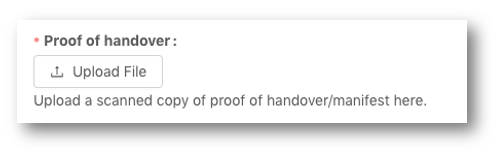
All the steps are the same with Scenario 2 , but upload Proof of handover with the screenshot of order tracking status in COE / SkyNet tracking page

Scenario 4 : Lazada Order Status stuck in Shipped even after customer received parcel.
Have you uploaded POD ( Proof Of Delivery ) to SOFP platform?
If you have and order is stuck at Shipped status instead of Delivered, please fill up this Lazada form to update the status.
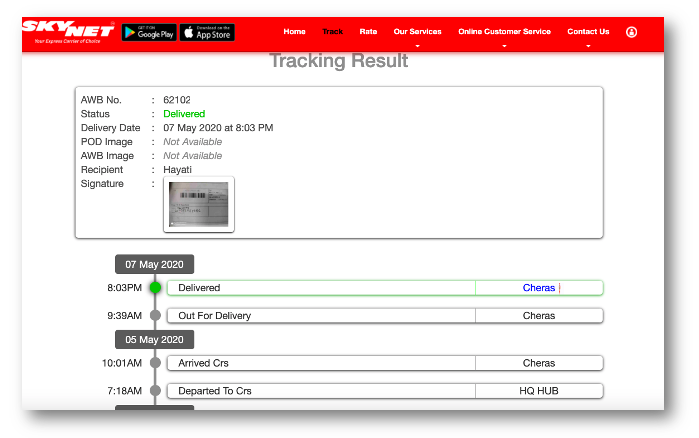
Select current status " Shipped" and actual status " Delivered". Delivered date should be actual delivered date as shown in the shipping company website.
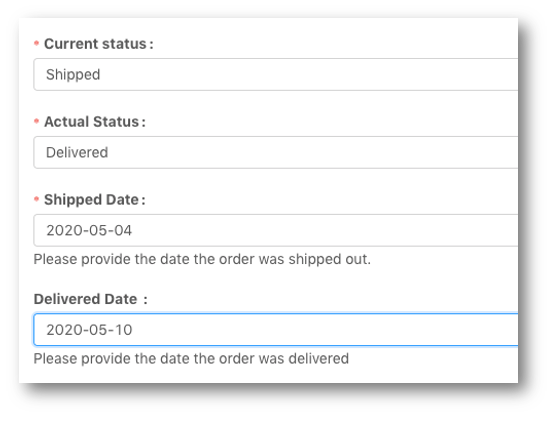
Upload Screenshot of the shipping company courier status as Proof of Handover
In comment box, example of explanation " Item has been delivered and POD has been uploaded to SOFP platform. But order status is still in Shipped instead of Delivered. Please update to Delivered."
IMPORTANT NOTE
After filling up the Lazada forms to update the correct order status, please monitor it closely until the order has been delivered and you are paid for it. Always follow up directly with Lazada PSC (partner support center) .