How to use Shopee Promotional Tool
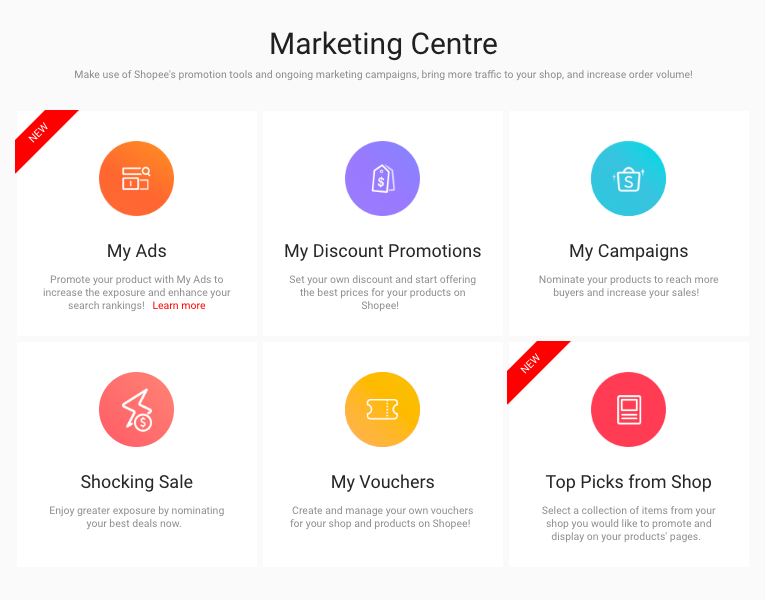
Make good use of Shopee's promotion tools and ongoing marketing campaigns. They will help you to bring more traffic to your shop and increase order volume.
There are a total of 6 promotion tools in Shopee. We will only focus on a few that are suitable for you. Here's the guideline, check it out.
How to Apply Discount Promotions
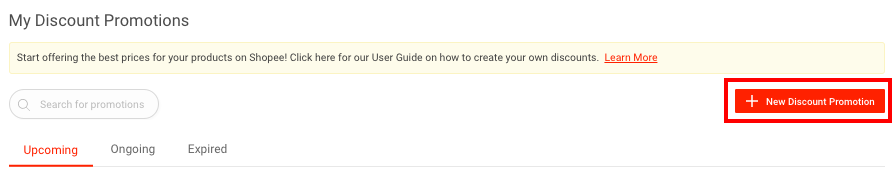
Step 1 : Click 'My Discount Promotion' > Click 'New Discount Promotion'.
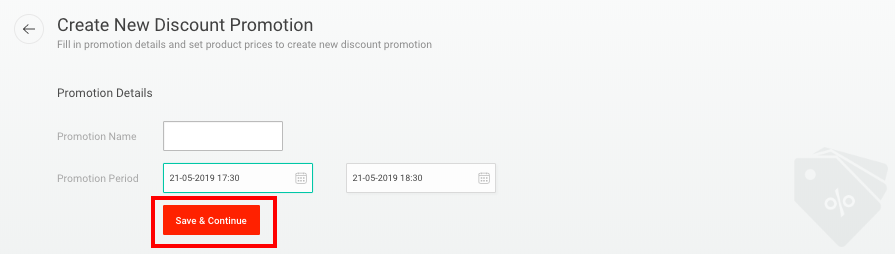
Step 2 : After inserting promotion and promotion period, click 'Save & Continue'.
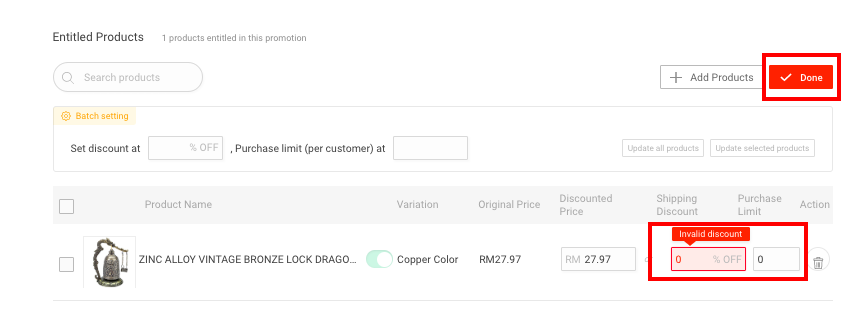
Step 3 : Decide the discounted price and percentage, then click 'Done'.
How to Partcipate Campaign
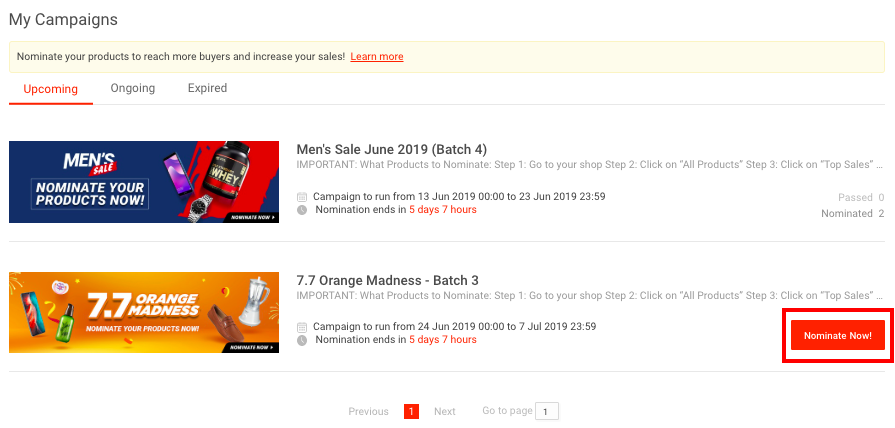
You will only see the upcoming campaigns if you are qualified. Click 'Nominate Now' to select the products you want for the campaign.
How to Apply Vouchers
Step 1 : Click 'My Vouchers' > Click 'Create New Voucher'.

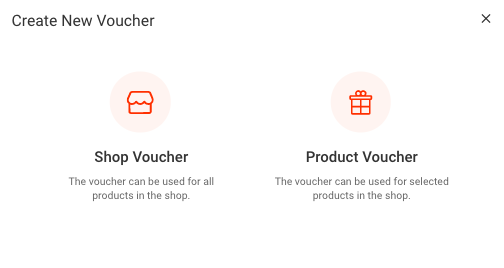
Step 2 : Choose the type of voucher that you want to apply.
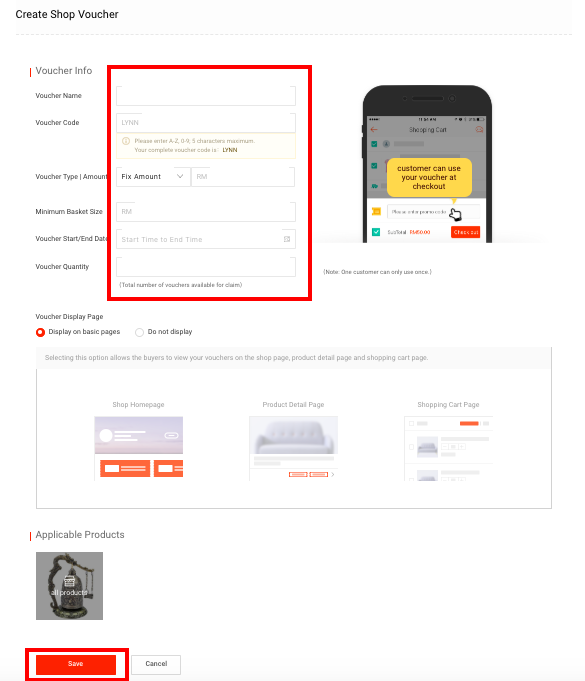
Step 3 : Fill up all the required voucher information and click 'Save'
How to Apply Top Picks
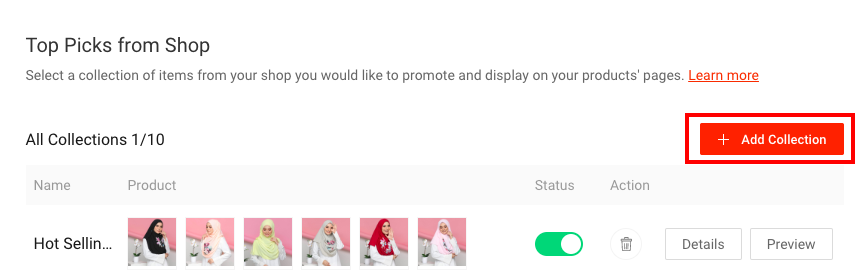
Step 1 : Click 'Top Picks from Shop' > Click 'Add Collection'
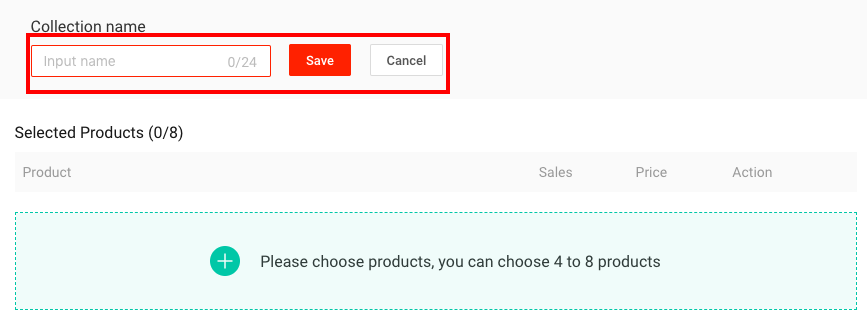
Step 2 : Insert collection name and click 'Save'
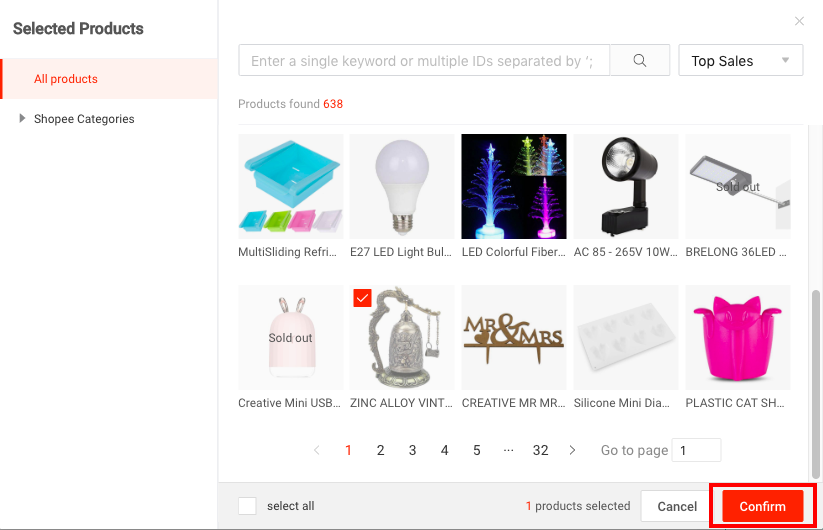
Step 3 : Select 4 to 8 products from your Shopee store, then click 'Confirm'
Apply all these Shopee promotion tools and skyrocket your sales now!